
WordPress Speed Optimization Services
A slow website can cost you traffic, leads, and sales before visitors ever have a chance to engage with your business.
Lead to Conversion provides WordPress speed optimization services designed to make your website faster, more responsive, and easier to use. We identify the technical issues slowing your site down and implement improvements that support SEO, user experience, and conversions.
From Core Web Vitals and image optimization to caching, hosting, plugins, and code, we focus on the performance issues that matter most.
Last modified: October 4, 2026
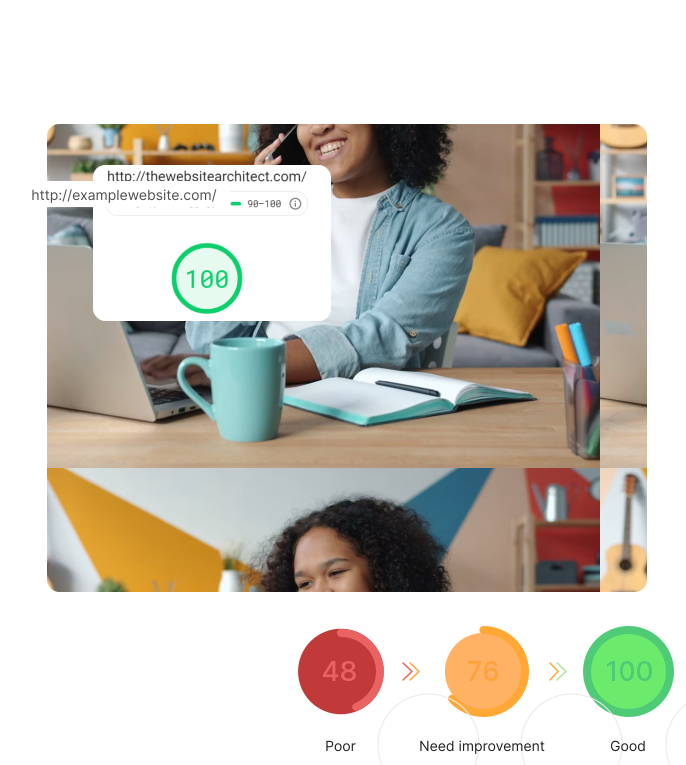
Why WordPress Website Speed Matters
Your WordPress website speed affects how users experience your business online.
Slow pages can make it harder for visitors to browse services, complete forms, make purchases,
or take the next step. Performance issues can be especially noticeable on mobile devices and
slower connections.
Improving site speed can help support:
The goal isn’t simply to improve a speed score. It’s to create a better-performing website.

Core Web Vitals and SEO Rankings
Core Web Vitals measure key aspects of real-world user experience.
The current metrics include:
- Largest Contentful Paint (LCP): Loading performance
- Interaction to Next Paint (INP): Responsiveness
- Cumulative Layout Shift (CLS): Visual stability
Improving these metrics can support a stronger page experience and overall SEO strategy.
Site performance can contribute to SEO rankings, but speed alone won’t determine search visibility. Content quality, relevance, authority, technical SEO, and other factors still matter.
We treat WordPress performance as part of the larger SEO picture rather than an isolated ranking tactic.
Improve Load Time With Image Optimization
Images are often among the largest files on a webpage.
Reducing unnecessary image weight can significantly improve load time without sacrificing visual quality.
Modern image formats such as AVIF can maintain strong visual quality while reducing file sizes compared with older formats.
Resizing images before uploading also prevents visitors from downloading more data than the page actually needs.
Our image optimization may include:
Use Lazy Loading to Reduce Initial Page Weight
Lazy loading delays eligible images and media until a visitor scrolls
closer to them.
This can reduce initial bandwidth usage and help pages become
usable sooner.
Lazy loading works best for content below the fold. Important above-the-fold images may need to load immediately, particularly when they contribute to Largest Contentful Paint.
The goal is to delay nonessential resources without slowing down content users need right away.

Optimize CSS Files and JavaScript
Themes, plugins, tracking platforms, and page builders can add large amounts of JavaScript and CSS files to a WordPress website.
Not all of those resources need to load on every page.
Depending on the site, we may:
Reducing unnecessary browser work can help content load and respond faster.
Reduce Unnecessary HTTP Requests
Each image, font, stylesheet, script, and other resource can generate an HTTP request.
Modern browsers handle multiple requests efficiently, but WordPress websites can still accumulate unnecessary assets through plugins, themes, tracking scripts, and third-party integrations.
We review what each page actually needs and look for opportunities to remove duplicate or unnecessary resources.
We also identify avoidable redirects that can add extra steps to the
loading process.
Use Caching to Reduce Server Load
Caching allows frequently requested website resources to be delivered more efficiently.
Instead of rebuilding the same content for every visit, caching can reduce processing demands and server load.
Browser caching stores static assets such as images, CSS, and JavaScript on a visitor’s device so they don’t need to be downloaded again on every visit.
Caching can also reduce database activity and improve server response times.
Optimization may include:
Audit Plugins and WordPress Themes
Plugins and WordPress themes can have a major impact on site performance.
Too many unnecessary plugins—or even one inefficient plugin—can introduce extra scripts, stylesheets, database queries, and processing.
Improving site speed can help support:
The goal isn’t simply to use fewer plugins. It’s to keep the functionality your site needs without unnecessary overhead.
Better Hosting Can Improve WordPress Speed
Hosting provides the foundation for effective WordPress speed optimization.
A fast hosting provider can improve response times and give WordPress more resources to process requests.
Shared hosting may be appropriate for smaller websites, but resource limits can become a bottleneck as traffic and functionality increase.
Depending on the website, a managed WordPress host or VPS may offer:
- Better resource allocation
- Advanced caching
- Faster server environments
- WordPress-specific support
- Improved scalability
Choosing quality, optimized hosting can make a significant difference in overall site performance.

Optimize the WordPress Database
WordPress relies on its database to retrieve content, settings, plugin data, and other information.
Over time, unnecessary data and inefficient queries can create
additional processing.
A cleaner database can improve query efficiency and help reduce load times.
Database optimization may include:
Mobile Optimization for WordPress Websites
Performance should be evaluated across devices.
Mobile users may experience slower connections, less processing power, and greater performance limitations than desktop users.
Our mobile optimization efforts may include:
A fast desktop experience doesn’t always mean a fast mobile experience.
Our WordPress Speed Optimization Process

Audit
We evaluate current performance, Core Web Vitals, hosting, plugins, themes, images, scripts, caching, and database activity.

Prioritize
We identify the issues most likely to affect users and focus on the highest-impact opportunities first.

Optimize
Our team implements targeted improvements while protecting your site’s design, functionality, analytics, and conversion paths.

Test
We measure performance again after optimization and review the site for usability and functionality.

Monitor
Website performance can change as new content, plugins, scripts, and features are added. Ongoing monitoring helps maintain improvements over time.


Why Choose Lead to Conversion?
WordPress performance sits at the intersection of development, SEO, user experience, and conversion optimization.
Lead to Conversion brings those disciplines together.
- WordPress Expertise
We understand how plugins, themes, page builders, hosting, and custom functionality affect site speed.
- SEO-Focused Strategy
We optimize performance as part of a broader SEO strategy rather than treating speed scores as the end goal.
- Conversion-Focused Thinking
A faster website should make it easier for visitors to navigate, engage, submit forms, make purchases, and become customers.
- Customized Recommendations
Every WordPress website is different. We diagnose the problem before recommending the solution.